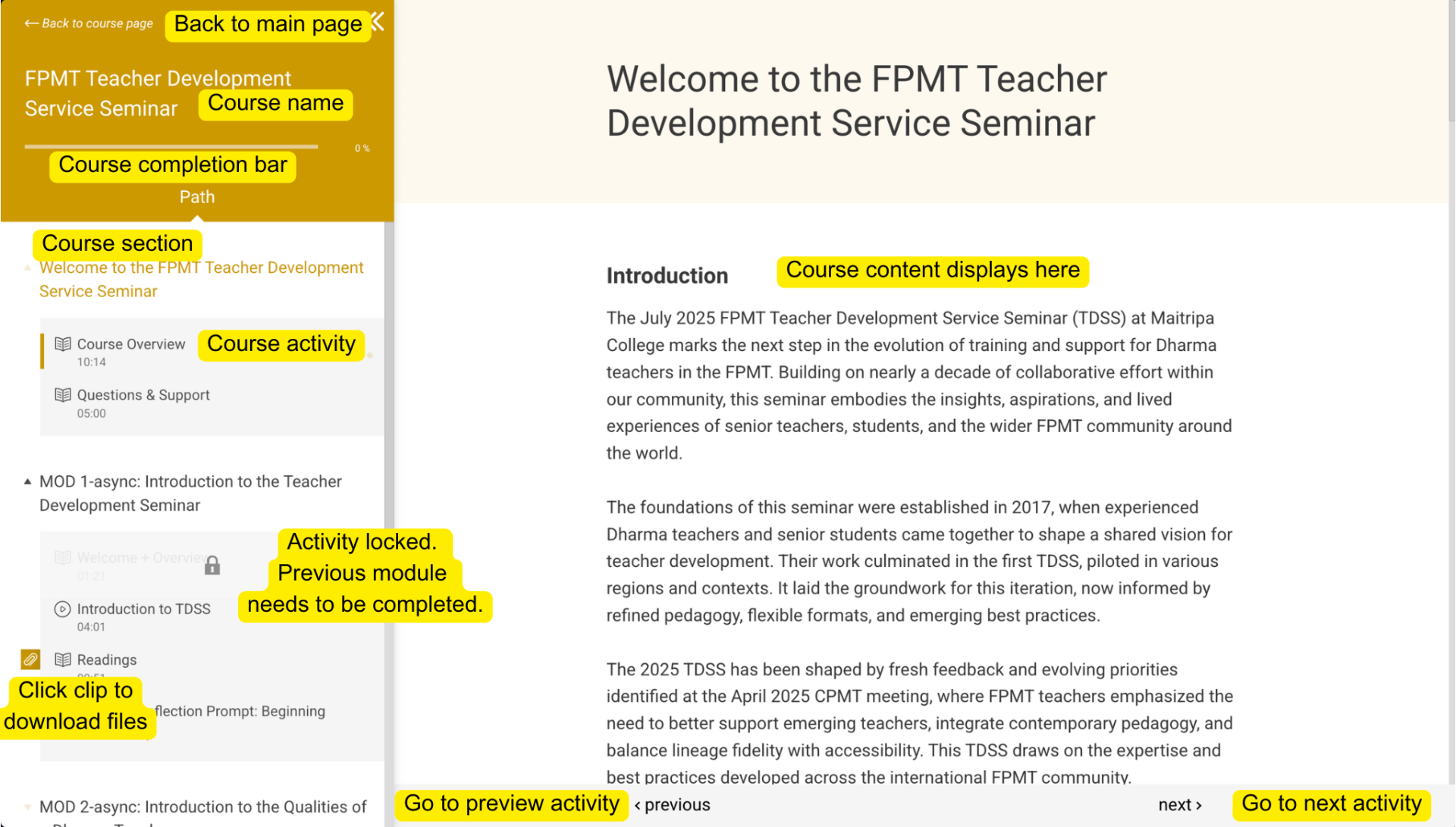
To move through this asynchronous course, begin by accessing each module in the order it is presented. Start with the introductory video , then proceed through the activities, reflections, and any assigned meditations or exercises. You will need to complete all journal prompts and submit any required reflections before moving on to the next module. You can work at your own pace, but we recommend setting aside regular, dedicated time over a span of a few days to stay engaged. Take breaks as needed, return to practices that resonate with you, and reach out to usif you have questions or insights you’d like to share.
To complete all modules of this course, you will need a few essential items: a laptop or desktop computer with internet access to view course materials and complete activities; a notebook or digital document for your personal journal entries and reflections; and a quiet space where you can watch videos, read, and engage with contemplative exercises without distraction. You may also wish to have a cushion or chair available for meditation practices, and a water bottle or tea nearby to stay comfortable and present.